Claremont High School
Class Of 1961

| ||||||||||
UPCOMING BIRTHDAYS

| • | Ann Miller (Larson) 4/19 |
| • | Wes Vaughn (CHS '59) 4/22 |
| • | Alexia Smith 4/24 |
| • | Joe Henry 4/28 |
| • | Susan Seineke (Trear) 4/30 |
| • | Frank Sell 5/6 |
| • | Robert Brown 5/7 |
| • | Paul Elias 5/7 |
| • | Donna James (CHS '62) (Van Druten) 5/7 |
| • | Jared Scott 5/8 |
| • | Jane-Ellen (Janie) Tibbals 5/11 |
| • | Sharon Martin (Rodabaugh) 5/12 |
 |
PROFILE UPDATES
| • | Sherri Anderson (Gooder) 4/11 |
| • | Sharon Esterley 4/8 |
| • | Willis Fagg 2/28 |
| • | Ron Werner 1/9 |
| • | Midge Seapy 11/26 |
| • | Stan Burwell 10/27 |
| • | Betty Dawn Shaeffer (Skov) 9/5 |
| • | William "Bill" Green 6/14 |
| • | Sondra Hines (Hallock) 5/7 |
| • | Donald Bell 4/3 |
|
WHERE ARE THEY NOW

|
|

CLAREMONT HIGH SCHOOL
CLASS OF 1961
Here's cool music from all years
Thanks to Ron Devlin for finding this!
Click the jukebox

What was the #1 song
on the day you were born?
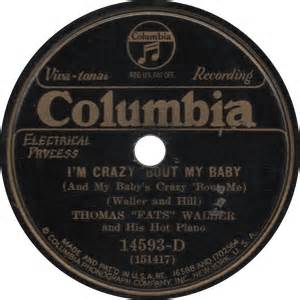
Click the record to find out!
Check out what other alumni are doing!
Visit the CHS Wolfpack Alumni Society website!

Still searching......FOR MISSING CLASSMATES!
Is your best high school friend on the Missing Classmates list?
Please check the list & see if you can track down just one missing person & invite them to join the web site or provide their contact information to us! Dig out those ancient address books & get on their trail!

SALUTE TO OUR VETS
If you are a Veteran, please complete the Veterans' Survey & send a photo of yourself in uniform & any additional information or service photos you’d like to share. If you have any information about our deceased classmates’ military service, we would welcome that as well. Please send photos to Sharon Esterley at esterley@aol.com
CLASS CHAT
Have you visited Class Chat yet? These are YOUR pages! It is a way for classmates to carry on open discussion on any topic, and we encourage your participation!
Note that there are several topics in each Forum, not just the first one you see. The 2nd column shows how many topics are posted in each one. Click on the Forum title to see all the postings in that category. This will also show the date of the last posting, so you can read updates in each topic.
To participate in any ongoing discussion, click “Reply” to post your comments or add your own photos! PLEASE DO NOT click "Post New Topic" unless you intend to start a completely new topic.
Remember that Class Chat postings are visible to everyone. Think of this as writing a letter to the Editor in a newspaper. Don't write anything that is too personal for everyone to read. To send a personal email or ask a question of a classmate, click on the classmate's name & go to the message box at the bottom of their page.

Got NEWS?
Tell us about your weddings, grandbabies, vacations, retirement, hobbies!!! Post all this on your personal profile (go to Profile Update in the left column) & a notice will be emailed to classmates who have chosen to follow your updates.
PRIVACY NOTICE:All contact information (address, phone number, e-mail address) entered into this website will be kept confidential. It will not be shared or distributed.Your contact information is private: your street address, e-mail address, and phone number cannot be seen by the classmates unless you grant permission on your Profile. When someone clicks on your name, the only contact information they will see is your city and state and whatever information about yourself you choose to put on your Profile. Unless you explicitly grant your permission, your email address is not visible, although an email can be sent to you using the contact box at the bottom of your Profile page.
Email from this web site: For those of you with spam blocking or email filtering capabilities, please add noreply@classcreator.net (that's.net, not.com) to your email account as a safe sender in order to receive email communication from this web site. We do not want to receive "bounce back" emails and don't want you to miss receiving emails from other classmates! :)
Email from this web site: For those of you with spam blocking or email filtering capabilities, please add noreply@classcreator.net (that's.net, not.com) to your email account as a safe sender in order to receive email communication from this web site. We do not want to receive "bounce back" emails and don't want you to miss receiving emails from other classmates! :)
Class Creator, the system that helps us operate our class web site, uses the address noreply@classcreator.net when sending out email messages. Be assured that all emails sent through our site are valid — you will not receive spam email.
NOTE: You cannot send email to noreply@classcreator.net. To reply to a message from this address, go to the BOTTOM of the message for instructions to reply to the sender.