

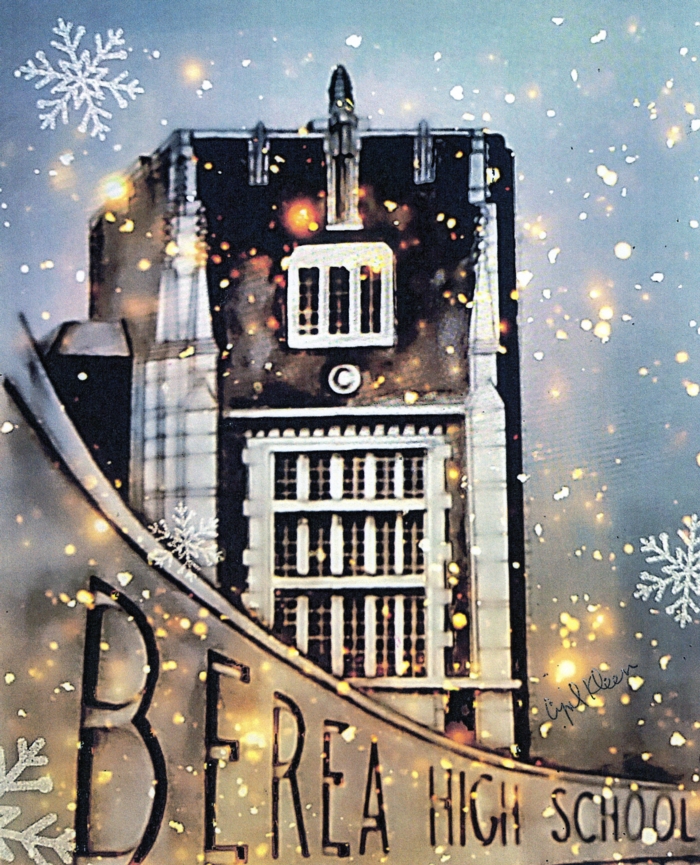
Drawing by Mayor Cyril Kleem
Gregory Macosko (Class of '65) created a VERY nice video "The Berea I Remember".
Greg, thank you for sharing your Berea memories with us!
I have updated our Supplemental Site, the "Berea Ohio Project"! Lots of old Berea pictures and among other things it includes obituaries from some of our GREAT teachers we were fortunate to have.
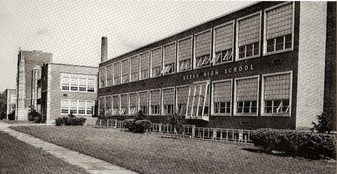
Alumni looking for a nostalgic look back at Berea High School before it was demolished can turn to www.bereahigharchive.org.
Berea-Midpark showcase: A new showcase at Berea-Midpark High School, 165 E. Bagley Road, highlights Berea High athletic teams, including photos of Coach Tom Madzy’s championship football team from 1978. Also on display are a Berea High School brick and school photos.
The memorabilia were selected from among items stored in a room at Smith School, where Berea High School artifacts are kept.
If you have any trophies, photos or other mementos to share, especially those associated with academic accomplishments, contact the Berea High School Alumni Association at bereahighalumni@gmail.com or call association President Marianna Peris at 440-223-6444.
Your items will be put on display, then returned to you. The Alumni Association changes the display periodically.
Berea-Midpark High School Virtual Tour, September 2020. Wow, very nice!
Thank you Kathy Gregg Beckman for sending me the building update!
There has been a lot of interest and discussion about the future of the Tree of Knowledge outdoor sculpture.
Here are some articles provided, in the link above, by Leslie Douglas (Class of ’67), thank you Leslie.
I just uploaded class pictures from grades 3, 4, 5, 6 and 7 from Central School, compliments of Jim Stepancik. Thanks Jim!
WOW.........everyone had a wonderful time at the reunion: the football game and Damon's Friday evening and the reunion on Saturday! A BIG thinks to Kathy McKenna Barber and Jo Ann Ciresi Allen! Thank you so much!
To veiw or add pictures, click here or contact me (Larry Froehlich at lfroehli@kent.edu) so I can help you. You could send or email pictures from cameras or phones to me and I'll be happy to include them! Everyone loves pictures!
It was a GREAT time.................for a GREAT class!
This web site now has a “Class Connection Facebook Application”, so you will be able to access our web site through your Facebook account! Log onto our 1966 Class Web Site, then look under Member Functions (on your left) click “Class Connection”, then Facebook opens, then click “Join Class” and Okay! To go to your regular Facebook page click on you name on the top tool bar, to go to the class web site, click on Facebook “Home”, then under Apps, click “Class Connection”. Please let me know if you have any questions!
I hope you like the new layout. I wanted to let you know, the "Log Out" selection is in the drop down menu, click on the little "head and shoulder" in the upper right hand corner. Let me know if you have any questions or comments!
Web sites:
Class of 1960 web site,
Class of 1965 web site,
Class of 1967 web site,
Class of 1971 web site and the supplemental site for Berea and Berea High School.
We have a new feature called "Rewind", a 60 second audio of what happened on this date in history.
I posted some great "Swim Team" pictures Tom Dameron sent to me. Thanks, Tom! Click on the picture to enlarge it.
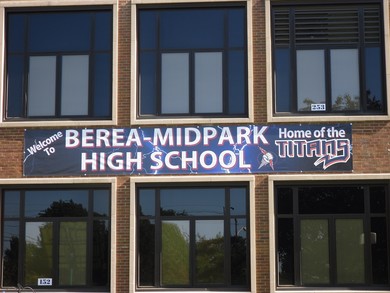
Compiled by Greg Macosko (Class of '65), great job!
Here are some great pictures from the Berea 2012 Community Guide, published by the City of Berea and the Chamber of Commerce.
We have added many Fairwood class pictures on the Misc Pix page.
We have added a new feature, Misc Pix, which allows any Class of 1966 classmate to "upload" pictures after they log on to the web site. We hope many of you contribute pictures.
Welcome to the Berea High Class Of 1966 web site. Please spend some time, create your information and let others know about the site, most of all have fun with it!
This site is very interactive. You'll be able to easily add information and photos yourself, contact other classmates, help find classmates, etc. I'm excited about the possibilities! 
Don't forget to check out the Message Forum!
We now have a Guest registration if you want to be a Guest in the '65 or '67 web site or if you know someone that would like to be a "Guest" in this site, let me know. Thanks, Larry Froehlich
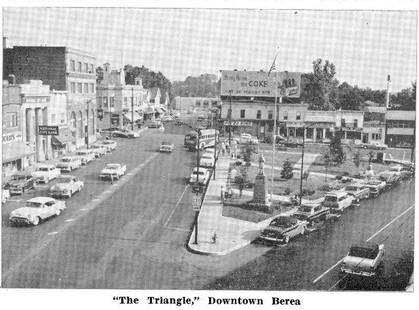
.jpg)
This picture and more (on the Supplemental Site) are from
Dick Curtner, Class of '65. Thanks Dick, these are GREAT photos!
If this is your first visit on our site............click here.
Thanks, Larry Froehlich
To upload pictures: First I would select the photos you want to upload and save them on the computer desktop, this will make them easier to find. Make a note of a picture number if you have not saved it with a particular name.
· Now click on Home Page and click your name in the Profile Updates!
Click to hear the Pride of Berea; the Berea High School Marching Band!
If it’s your first time to the web site, please login by clicking the Classmate Profiles tab, scroll down to your name, click it and enter your current contact information. You can provide as little or as much information as you like without fear of spam. You can set your profile to display your contact information or to keep it private. It's up to you! This website is private and the information in it is not available in search engines, although the website's homepage is.
You can also share personal updates, memories, photos and videos with your classmates here. Enjoy looking at the profiles of old friends and don’t forget to add your own photos and comments. Check back often as classmates will continue to post new photos and updates.
Here is a short Birthday Wish .............. from the 60th Birthday Party/Picnic:
PROFILE UPDATES
| • | JoAnn Ciresi (Allen) 2/19 |
| • | Victor Murray Fetterman 2/18 |
| • | Terry Sterling 8/9 |
| • | Dale Barrett 5/19 |
| • | Renate Bohn (Girardi) 1/6 |
| • | Sally Crowther (Gosney) 7/10 |
| • | Gregory Macosko 6/29 |
| • | Connie Koblenzer (Ratti) 1/18 |
| • | Joann Brooks (Tanke) 10/13 |
| • | Barry Mahannah 7/19 |
 |
UPCOMING BIRTHDAYS